> ## Documentation Index
> Fetch the complete documentation index at: https://gb.mintlify.site/llms.txt
> Use this file to discover all available pages before exploring further.
# Connection Guide
In this guide, we are using Postman application.
You can create a WebSocket request from the sidebar in Postman.
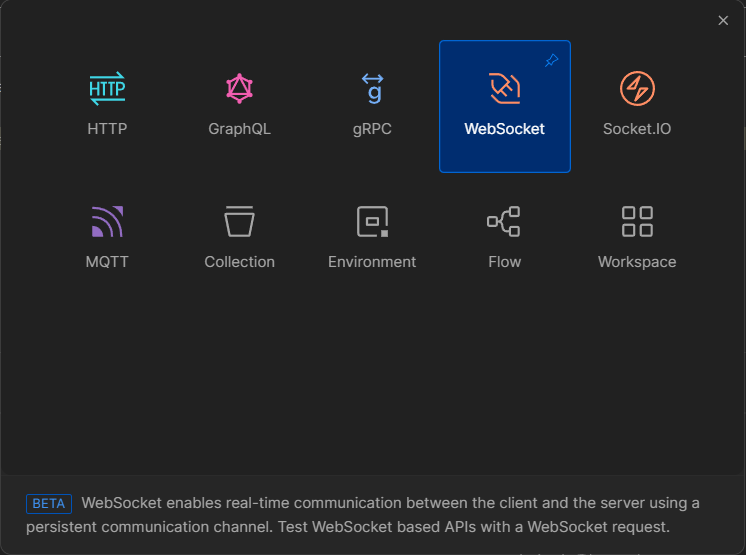
1. Select **New > WebSocket** to open a raw WebSocket request in a new tab. You can also select **New > Socket.IO** to open a Socket.IO request in a new tab. (In the Postman desktop app, you can also select ⌘+N or Ctrl+N.)
 2. Enter the WebSocket server URL. A WebSocket URL begins with `ws://` or `wss://`.
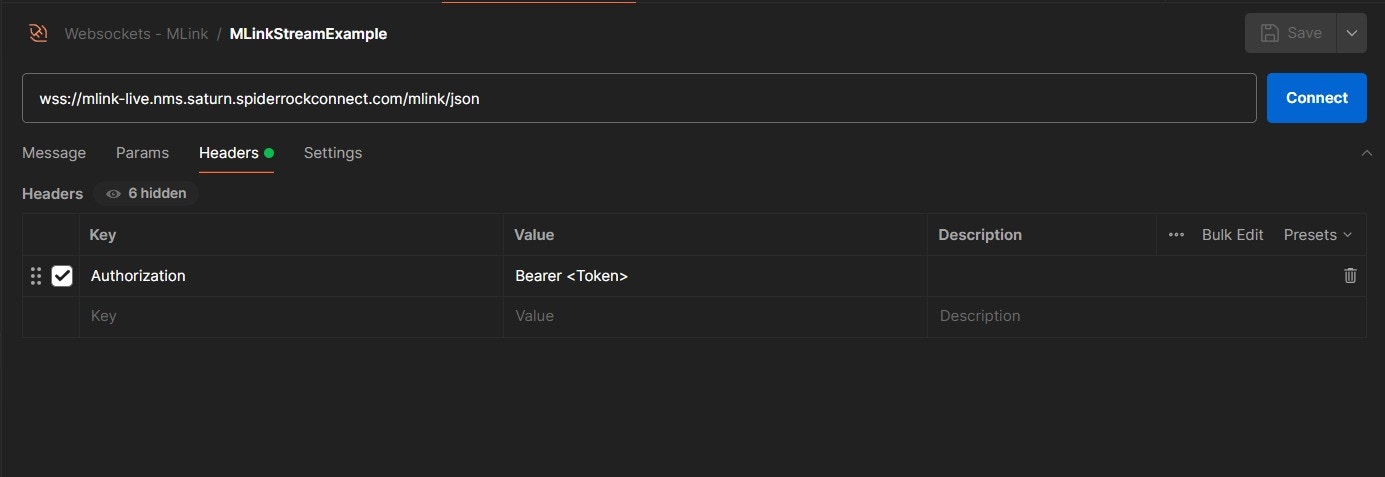 Ensure to replace `` with appropriate Authorization token.
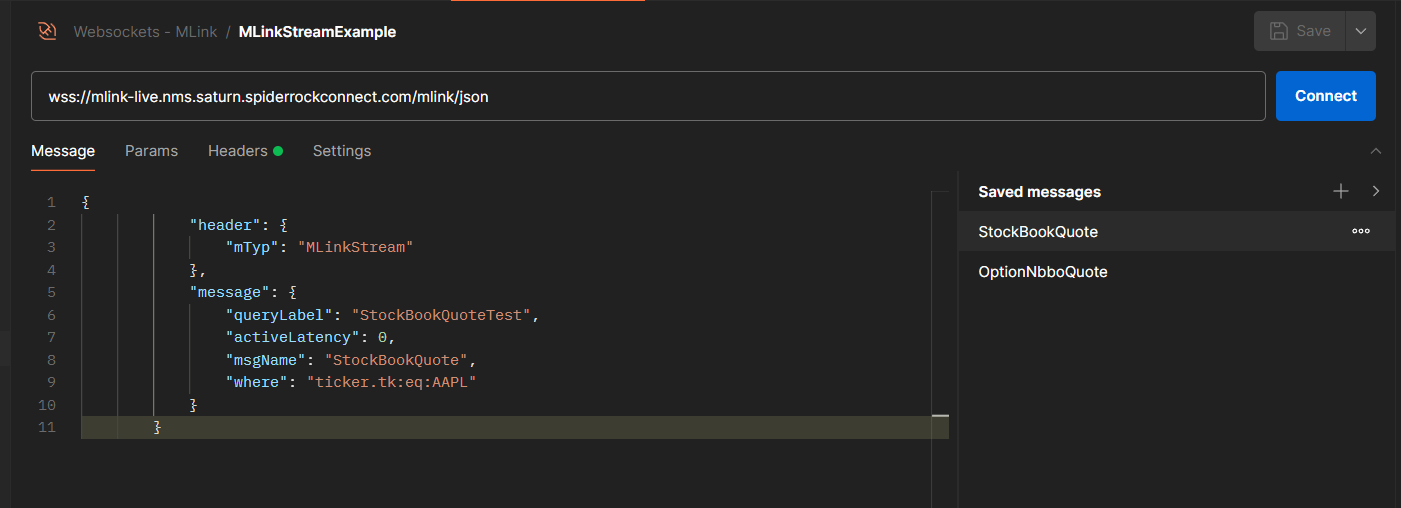
3. Enter the Message to be requested for streaming.
Ensure to replace `` with appropriate Authorization token.
3. Enter the Message to be requested for streaming.
 4. Select **Connect**.
5. After clicking the **Connect** button, there will be a handshake response which will correspond to proper connection.
4. Select **Connect**.
5. After clicking the **Connect** button, there will be a handshake response which will correspond to proper connection.
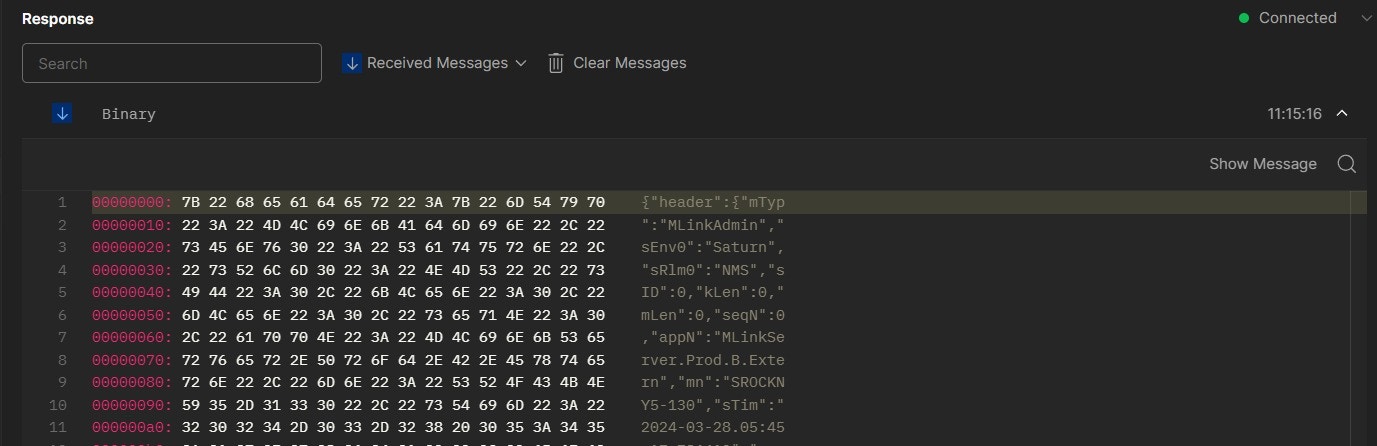
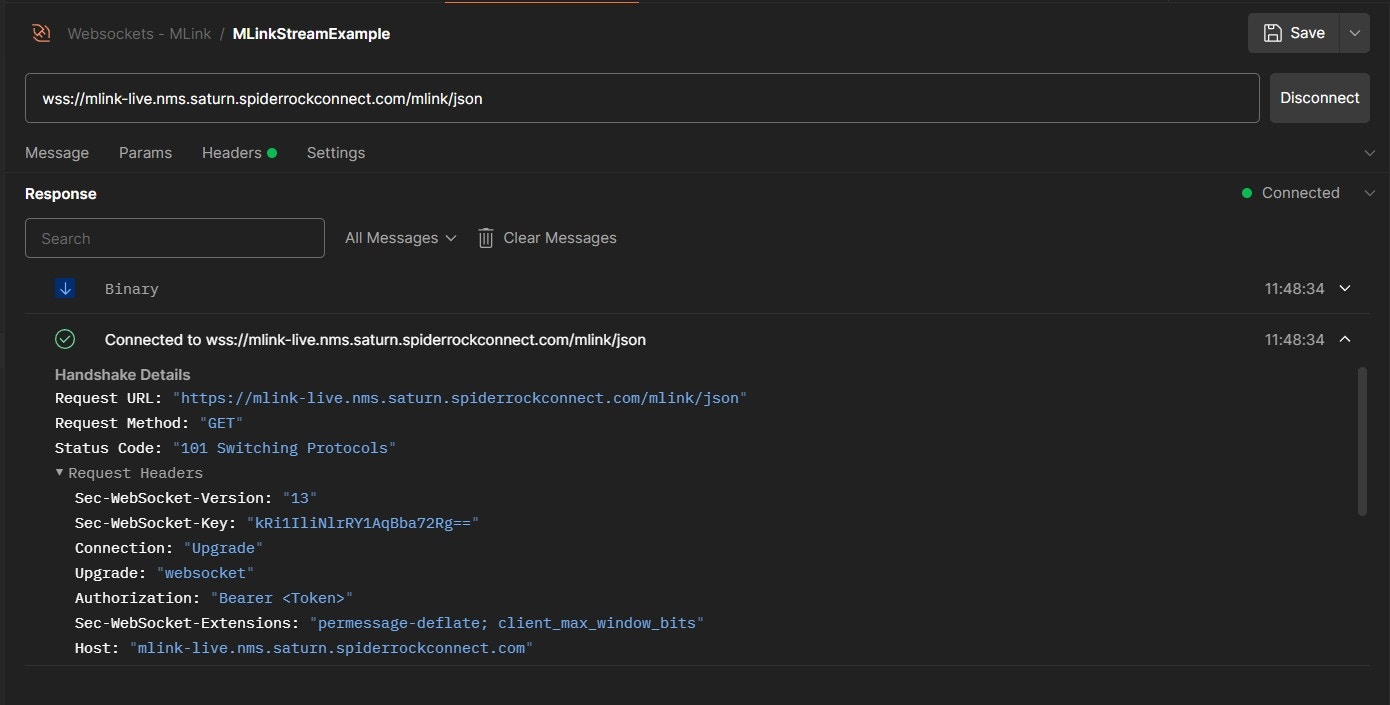 6. Once the connection is established, proceed by clicking on the "Send" button to dispatch the request. Upon successful execution, anticipate receiving a response similar to the following example.
 To disconnect your WebSocket request's connection, select **Disconnect**.